Multiple Pipelines in a Single Feature
Data Pipeline Studio (DPS) supports multiple pipelines in a single feature of a product in the Calibo Accelerate platform. You can create multiple pipelines related to a specific use case within a single feature. This eliminates the need to create multiple features for a scenario that requires multiple pipelines to be created.
Consider a use case of data ingestion to data visualization. You can create 3 pipelines – one for data ingestion, another one for data transformation, and the third one for data visualization. All the 3 pipelines can be created in a single feature.
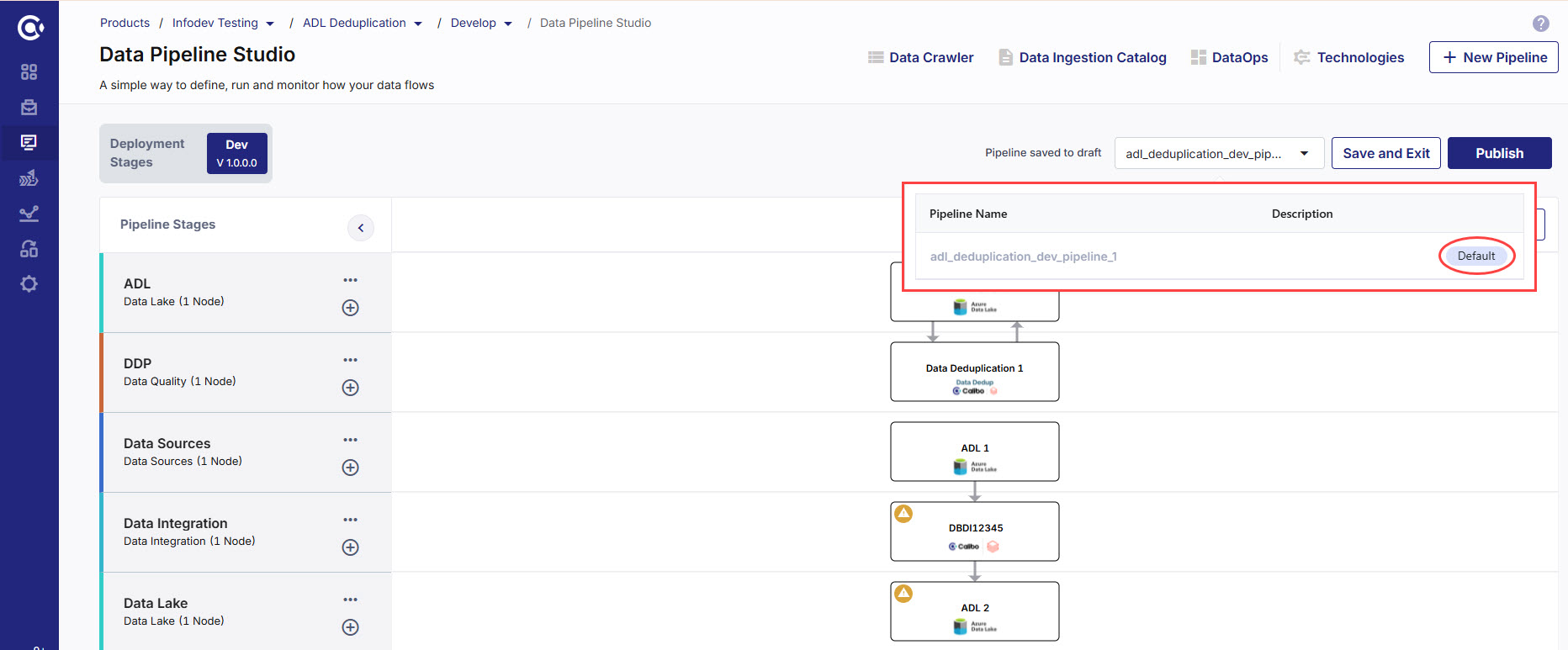
When you add multiple pipelines in a single feature, you can make a specific pipeline the default one. This means that when you navigate to the home page of DPS, the default pipeline is visible. You can view the list of pipelines by clicking the arrow adjacent to the name of the default pipeline. You can change the setting for the default pipeline by clicking Make Default for any other pipeline that you want to make as the default one.
Adding multiple pipelines in a feature
-
Sign in to the Calibo Accelerate platform.
-
In the left navigation pane, click Products.
-
Select a feature to which you want to add multiple pipelines, and click the Develop stage of that feature.
-
Click Data Pipeline Studio. On the home page of DPS, you see a default pipeline listed in the top right corner, with the following naming convention: feature name_Dev_pipeline_1.
-
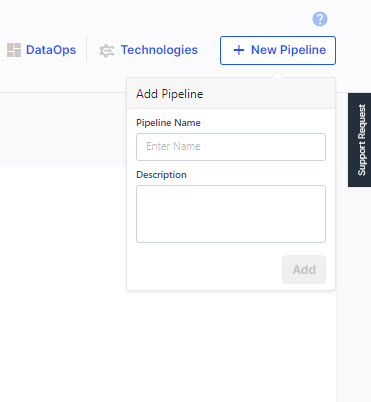
Click + New Pipeline. Provide a name and description for the new pipeline that you are creating.
-
Click + (Add new stage) in the left pane of the home page and add the required stages and nodes to each stage. Connect the stages to create the pipeline. If you need additional information on how to create a pipeline, refer to Create a Data Pipeline.
-
Create the required jobs in the pipeline and publish the pipeline.
-
To add another pipeline, repeat steps 6 and 7.
-
To change the default pipeline, click the arrow adjacent to the pipeline name. From the list of pipelines, click Make Default to make another pipeline the default one.
| What's next? Handling Pipeline Failures in Data Pipeline Studio |
 Recommended Topics