Publishing Data Assets
Publishing a data asset makes it available beyond its originating product and allows other users to discover and utilize it through the Calibo Accelerate platform. Publishing serves as the visibility boundary between product-wide assets and platform-wide assets.
You can discover a published data asset through the platform catalogue (Data Lab) and reuse it across projects, workflows, analytics initiatives, and machine learning use cases.
Prerequisites for Publishing a Data Asset
Before publishing a data asset, ensure that:
-
The data asset metadata is complete and accurate
-
Sensitivity classification is correctly assigned
-
Schema and column information is reviewed
-
Detailed usage guidance is provided to help users understand how to effectively use and manage the data asset.
-
The data asset is successfully executed
Following these recommendations improves trust and usability for the data asset users.
Publishing a Data Asset
-
Navigate to Data Assets and search for the required data asset.
-
Click on Asset Name to review the asset details and configuration.
-
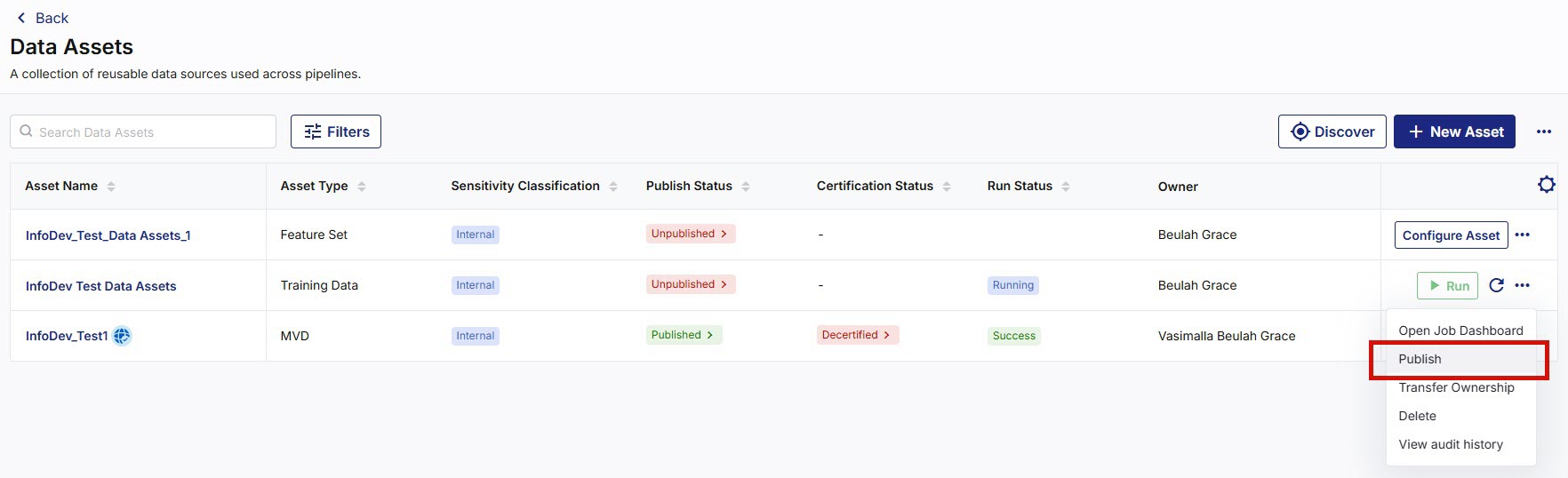
From the ellipsis (…), select Publish. A dialog box appears.
-
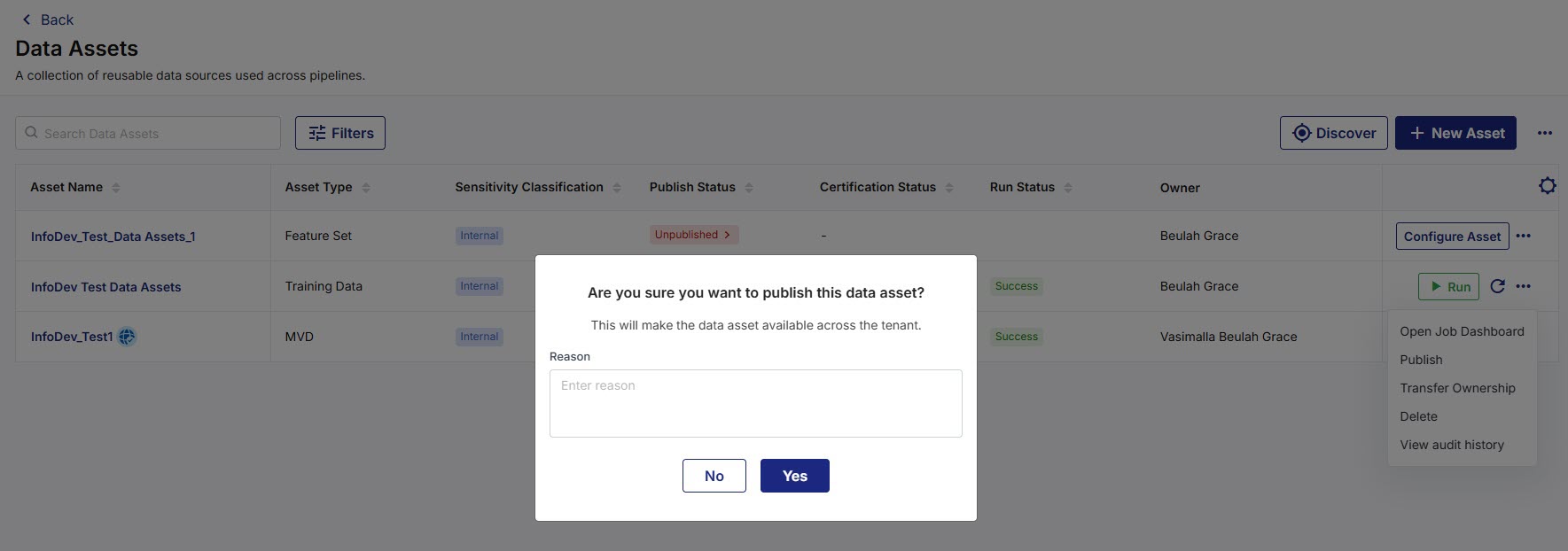
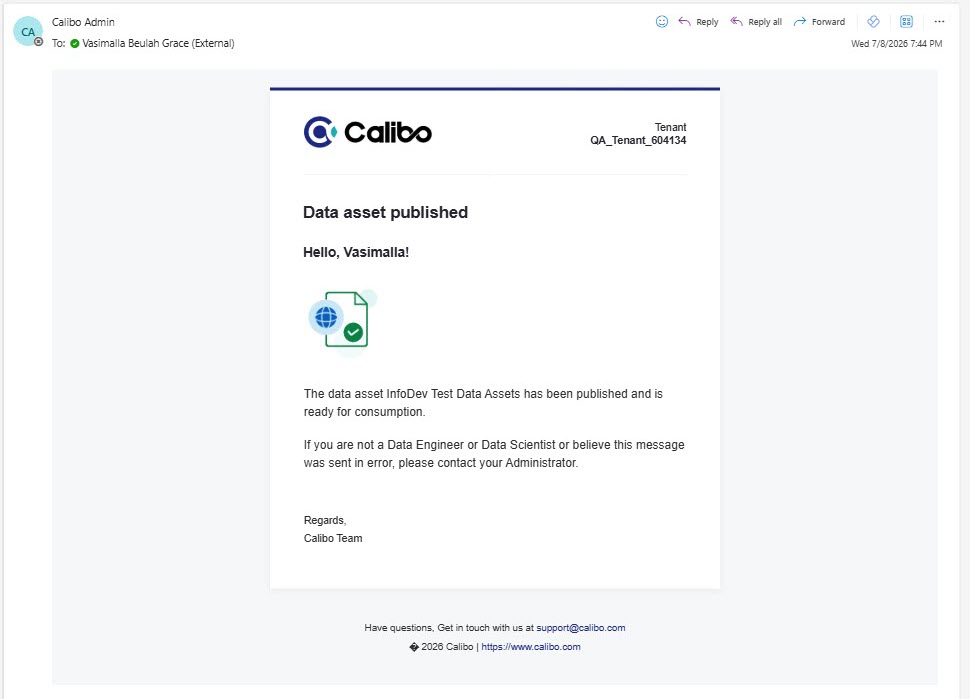
Enter your Reason, then click Yes. The system sends an email notification about the published data asset and updates the Publish Status from Unpublished to Published.
You can click on Publish Status to view the data asset lifecycle history.
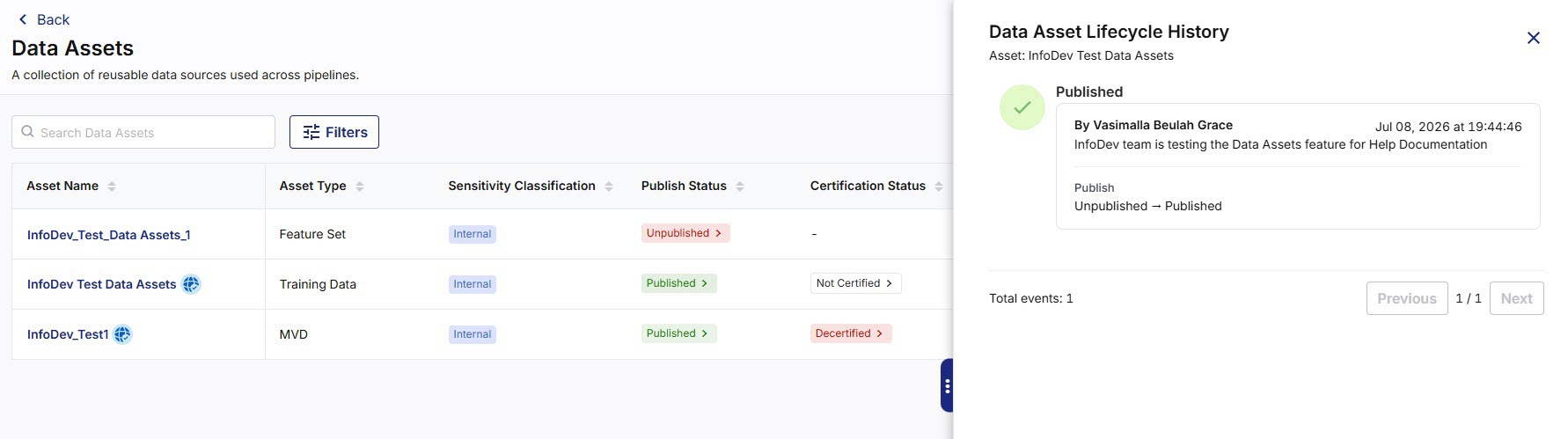
After a data asset is published, the asset becomes visible in the platform catalogue (via Data Lab) and other users can discover and consume the asset based on their access permissions.
The Published Data Assets:
-
Are visible beyond the originating product
-
Can be searched and discovered through the platform
-
Continue to maintain ownership and governance controls
-
Can later be certified through the approval process
Unpublishing a Data Asset
In certain situations, an asset may need to be removed from platform-wide visibility. For example:
-
Incorrect metadata
-
Outdated information
-
Governance concerns
-
Data quality issues
To unpublish a data asset
-
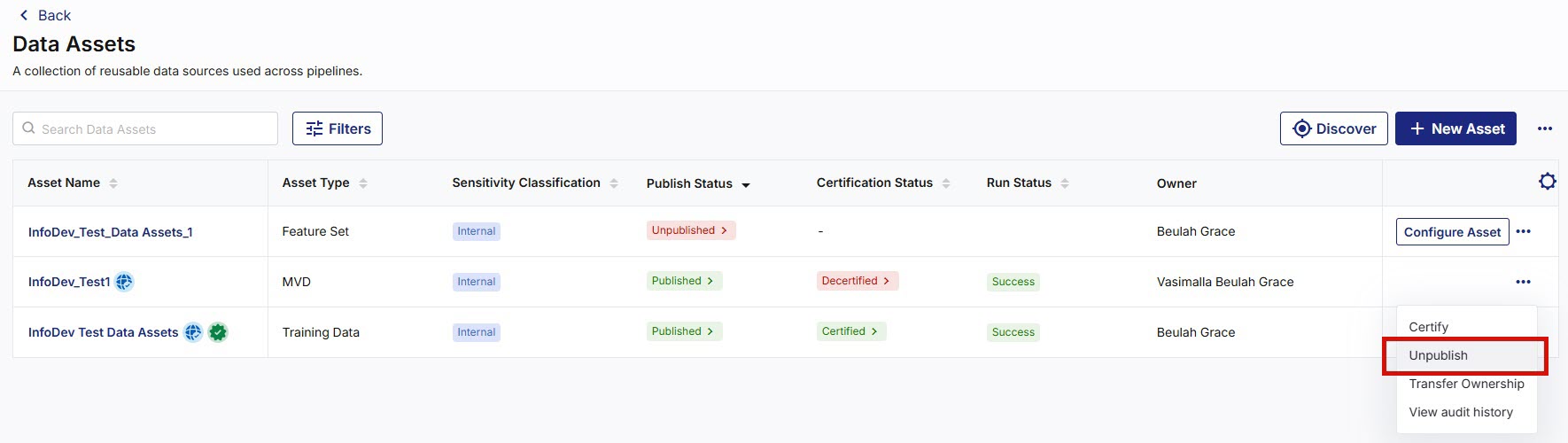
Navigate to Data Assets and search for the required data asset.
-
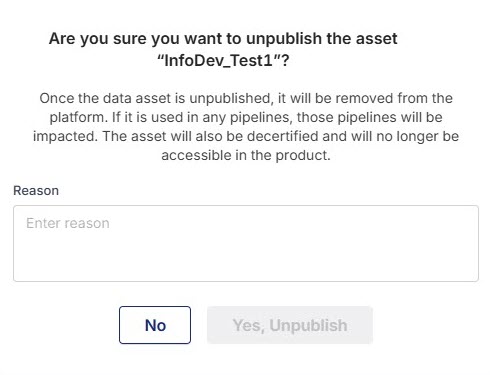
Next to the data asset you want to unpublish, from the ellipsis (…), select Unpublish. A dialog box appears.

Note:
Ensure you read and understand the message clearly before proceeding. When a data asset is unpublished, it is removed from the platform. If any pipelines use the data asset, those pipelines are impacted. The asset is also decertified and is no longer accessible within the product.
-
Enter your Reason, then click Yes. An email notification about the unpublished data asset is sent and the Publish Status is updated from Published to Unpublished.
-
After a published data asset is unpublished, it is removed from platform-wide visibility and returns to product-level visibility.
The Unpublished Data Assets:-
Are visible only at the product-level
-
Can be searched and discovered through the product
-
Can later be published or certified through the approval process as needed.
-
|
What's next? Certification of Data Assets |
 Recommended Topics