Discovering Data Assets
The Discover feature helps you explore all the available data assets across the platform and product. You can browse and identify assets that support your reporting, analytics, machine learning, and data engineering requirements.
You can use the Discover feature to:
-
Browse available Data Assets
-
Review asset details
-
Understand asset purpose
-
Identify reusable datasets
-
Explore certified assets.
You can identify trusted assets by reviewing governance indicators such as:
-
Certification Status
-
Publish Status
-
Run Status
-
Asset Activity Information
These indicators help you select reliable datasets for business and technical use cases.
To discover data assets
-
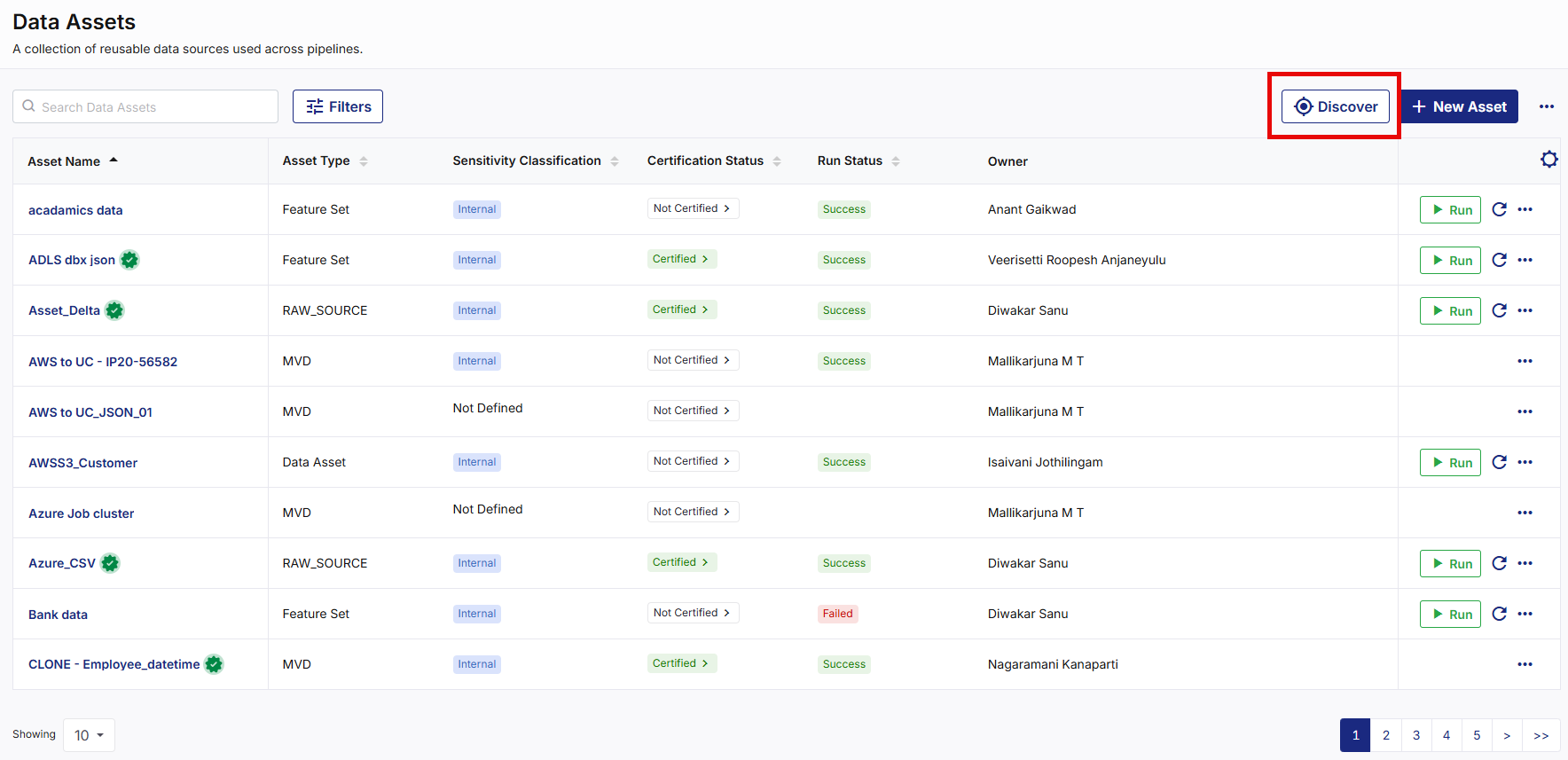
Navigate to the Data Assets screen.
-
On the top right corner, click Discover. The Discover Assets popup appears.
-
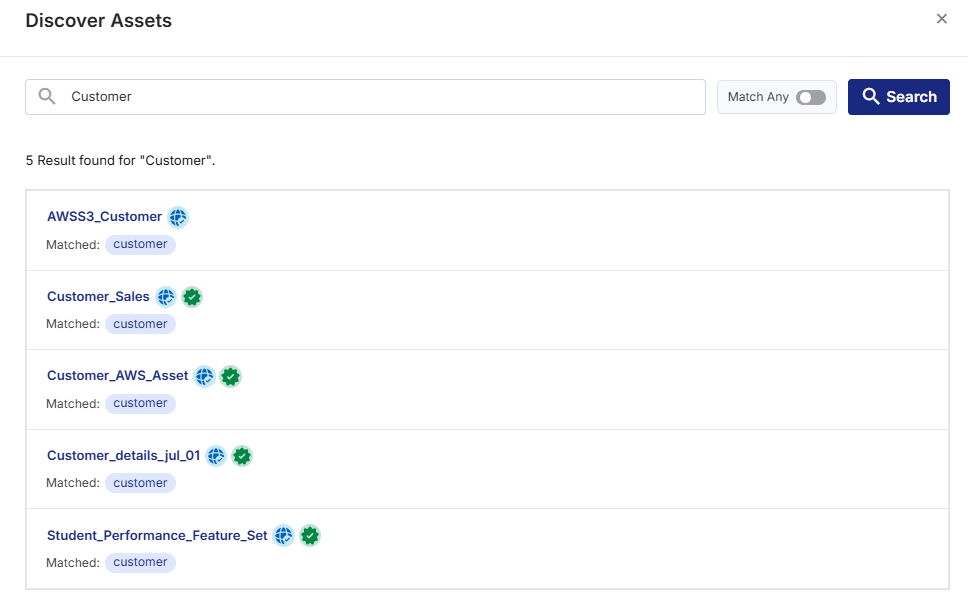
Enter a search term in the Search by Keywords, Systems, or Use Cases box, then click Search. The discover results display matching data assets based on the discover criteria.
Note:
You can enable the Match Any toggle to display the discover results if any of the specified search terms match the information associated with a data asset.
-
Review the matching discover results.
Note:
You can click the required asset name link to navigate to data asset details screen for more information.
|
What's next? Downloading Data Assets Report |
 Recommended Topics