Certification of Data Assets
Certification is a governance process used to identify trusted and approved Data Assets. A certified data asset indicates that the asset is reviewed, validated, and approved according to organizational standards and governance requirements.
Certification helps distinguish highly trusted datasets from published assets.
| Published | Certified |
|---|---|
| Available for use | Available for use |
| No formal approval required | Requires review and approval |
| Indicates availability | Indicates trust and approval |
| Suitable for general sharing | Suitable for critical business use cases |
Benefits of Certification
Certified data assets provide greater confidence for consumers performing reporting, analytics, operational decision-making, or machine learning activities.
Certification helps:
-
Improve trust in shared datasets
-
Promote consistent data usage
-
Reduce risks associated with incorrect or incomplete data
-
Support governance and compliance requirements
-
Identify approved datasets across the platform
Certifying a Data Asset
After validating the asset and completing the required review process, authorized users can certify a published asset.
To Certify a Data Asset
-
Navigate to Data Assets and search for the required data asset.
-
Click on Asset Name to review the asset details and configuration.
-
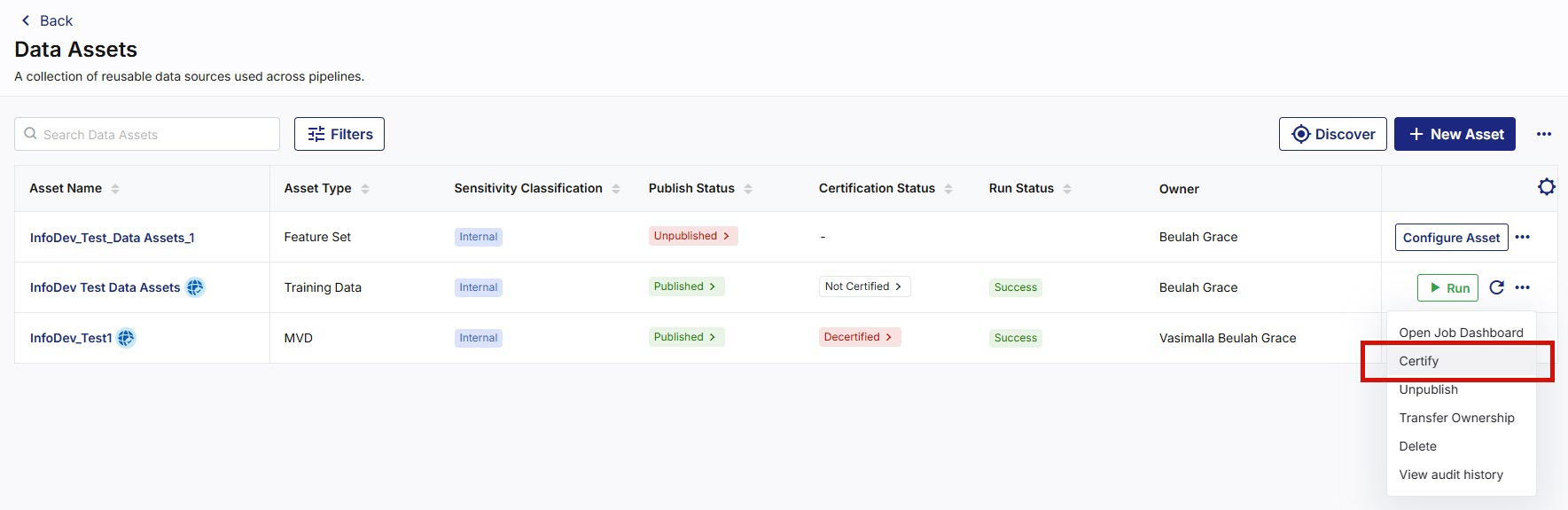
Next to the data asset, from the ellipsis (…), select Certify. A dialog box appears.
-
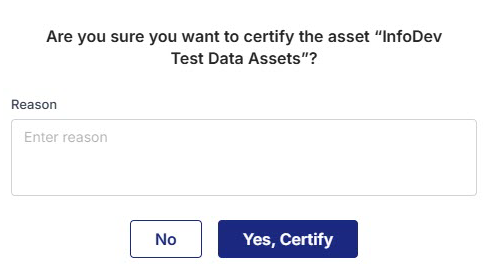
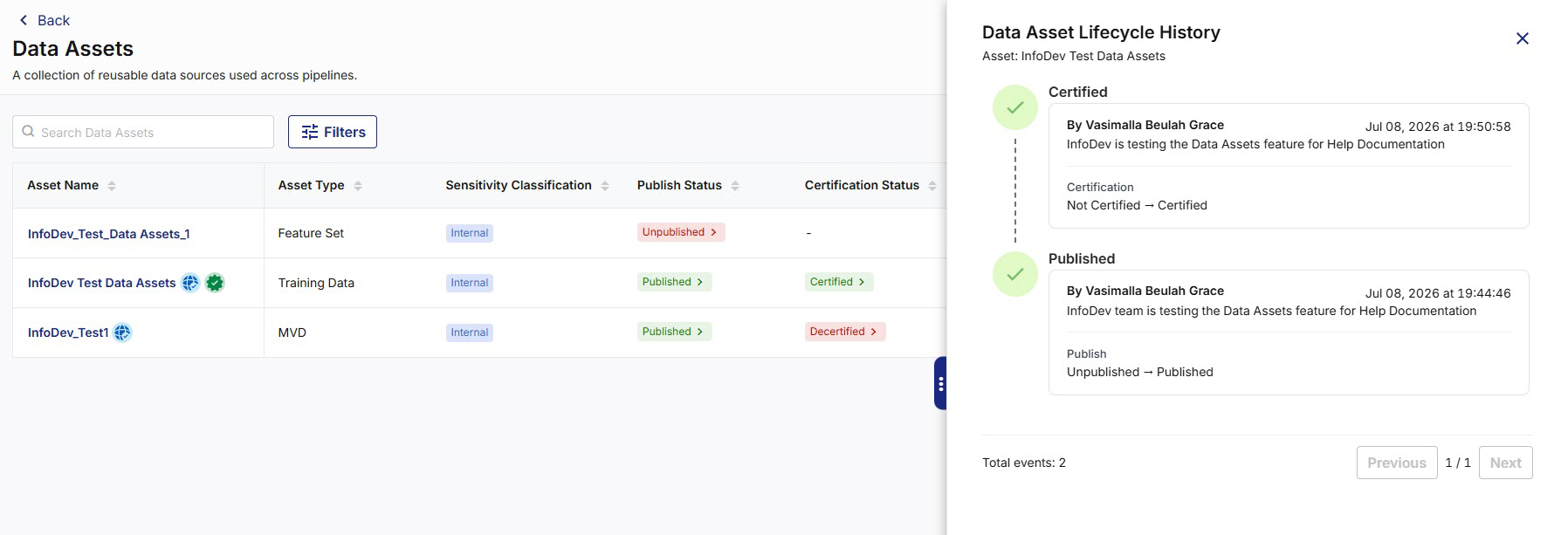
Enter your Reason, then click Yes, Certify. An email notification about the certified data asset is sent and the Certification Status is updated from Not Certified to Certified.

Note:
You can click on Certified > (or any status) to view the data asset lifecycle history.
-
After a data asset is certified:
-
The asset is identified as a trusted dataset.
-
Consumers can easily distinguish certified data assets from standard published assets.
-
Certification information becomes available within the asset details.
-
Decertifying a Data Asset
A certified data asset can be decertified if:
-
Data quality requirements are no longer met
-
Source systems are changed
-
Governance concerns are identified
-
The asset becomes outdated
To Decertify a Data Asset
-
Navigate to Data Assets and search for the required data asset.
-
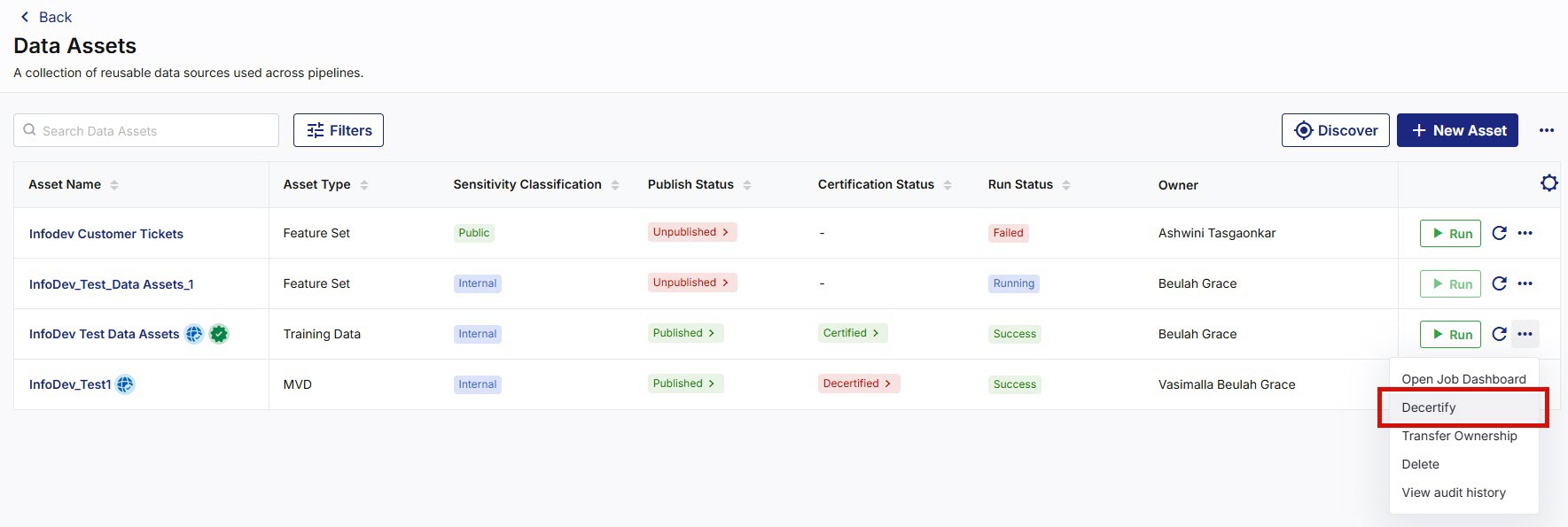
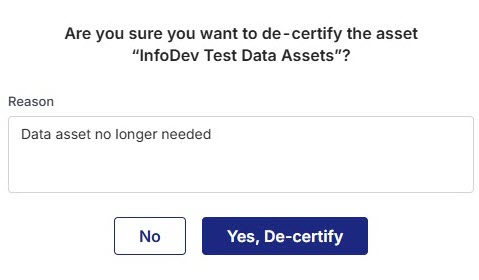
Next to the data asset you want to decertify, from the ellipsis (…), select Decertify. A dialog box appears.
-
Enter your Reason, then click Yes, De-certify. An email notification about the decertified data asset is sent and the Certification Status is updated from Certified to Decertified.
Note:
You can click on Decertified > (or any status) to view the data asset lifecycle history.
-
After a certified data asset is decertified, its certification status is removed and recorded for auditing purposes.
|
What's next?Transferring Ownership of Data Assets |
 Recommended Topics