Data Integration using Airbyte
Airbyte is an open data integration platform that enables organizations to ingest and synchronize data from diverse sources into centralized storage systems such as data warehouses, lakes, and databases. Airbyte uses prebuilt connectors to create scheduled synchronization jobs that extract data from configured sources, replicate it to destinations.
Calibo Accelerate integrates with Airbyte to run existing data integration jobs without the need for any additional configuration. The connections are created in Airbyte and the source and destinations are defined there. You can select a combination that suits your use case and run an integration job for it through the Calibo Accelerate platform.
Prerequisites
To run a data integration job using Airbyte, you must complete the following prerequisites:
-
Get access to a Airbyte configuration listed under Configuration > Cloud Platform Tools & Technologies > Data Integration and Data Transformation.
-
Identify the combination of source and destination that you want to use for the data integration job using Airbyte.
To create a data integration job using Airbyte
-
Add a data integration stage to your pipeline.
-
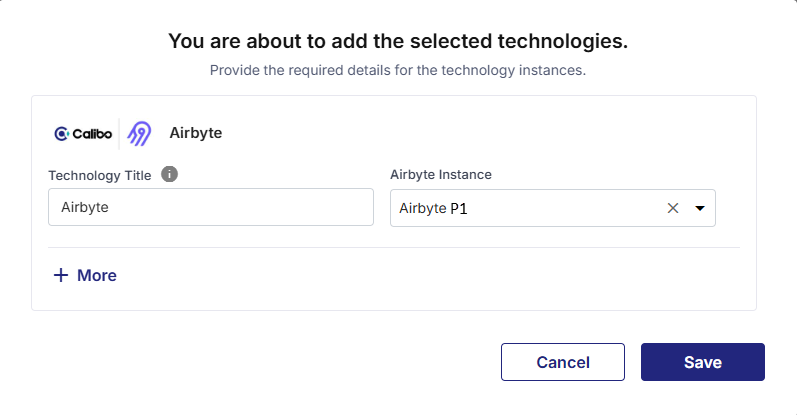
Add an Airbyte node to the stage, provide the following information and click Save:
-
Technology Title - Provide a name for the technology that you are adding. The title will be visible on the added node.
-
Airbyte Instance - Select an Airbyte configuration from the dropdown list.
-
-
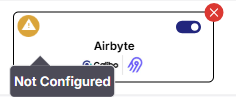
Click the Airbyte node. The node shows a Not Configured icon in the top left corner.
-
Click Create a job. This creates a job using an existing Airbyte connection.
-
Complete the following steps to create the job:
 Job Name
-
Job Name - Provide an appropriate name for the Airbyte data integration job.
-
Connections - Select an appropriate connection from the dropdown list. This is the list of connections created in the configured Airbyte connection that you added to the pipeline.
-
Node Rerun Attempts - This is the number of times the pipeline rerun is attempted on this node, in case of failure. The default setting is done at the pipeline level. You can select rerun attempts for this node. If you do not set the rerun attempts, then the default setting is considered. You can select 1, 2, or 3.
Click Next.
Source
-
Source - The source configured in the selected connection is populated. This is non-editable.
-
Live Sync Status Overview - Monitor the sync status of the selected connection in Fivetran. Click Go to Airbyte to monitor the status and view details of the connection.
-
Connector Identifiers - View the unique IDs and connection status of the selected connection.
-
Airbyte Connection ID
-
External ID
-
Connection Status
-
-
Connector Configuration - View the configuration of the connection in JSON format. Click the copy icon to copy the configuration for review.

Note:
You can make the required changes to this configuration in Airbyte by clicking Edit Connection.
Click Next.
Target
-
Target - The target configured in the selected connection is populated. This is non-editable.
-
Live Sync Status Overview - Monitor the status of the destination in Airbyte. Click Go to Airbyte to monitor the status and view details of the destination.
-
Connector Identifiers - View the unique IDs and connection status of the selected connection.
-
Destination Name
-
Destination Group ID
-
Setup Status
-
-
Connector Configuration - View the configuration of the connection in JSON format. Click the copy icon to copy the configuration for review.
Note:
You can make the required changes to this configuration in Airbyte by clicking Edit Connection.
Notifications
You can configure the SQS and SNS services to send notifications related to the node in this job. This provides information about various events related to the node without connecting to the Calibo Accelerate platform
-
Configurations - Select an SQS or SNS configuration that is integrated with the Calibo Accelerate platform
-
Events - Select the events for which you want to enable SQS or SNS queues.
-
Select All
-
Node Execution Failed
-
Node Execution Succeeded
-
Node Execution Running
-
Node Execution Rejected
-
-
Event Details - Select the details of the events for which notifications are enabled.
-
Additional Parameters - provide any additional parameters to be considered for SQS and SNS queues.
Click Complete.
The Fivetran node is successfully configured, and the supported source and target nodes are automatically added to the pipeline as implicit nodes. See
Note:
You cannot create manual connections to/from an implicit node, and you cannot delete the implicit node or the stage that contains the implicit node.
-
-
To view the implicit connections, do the following:
-
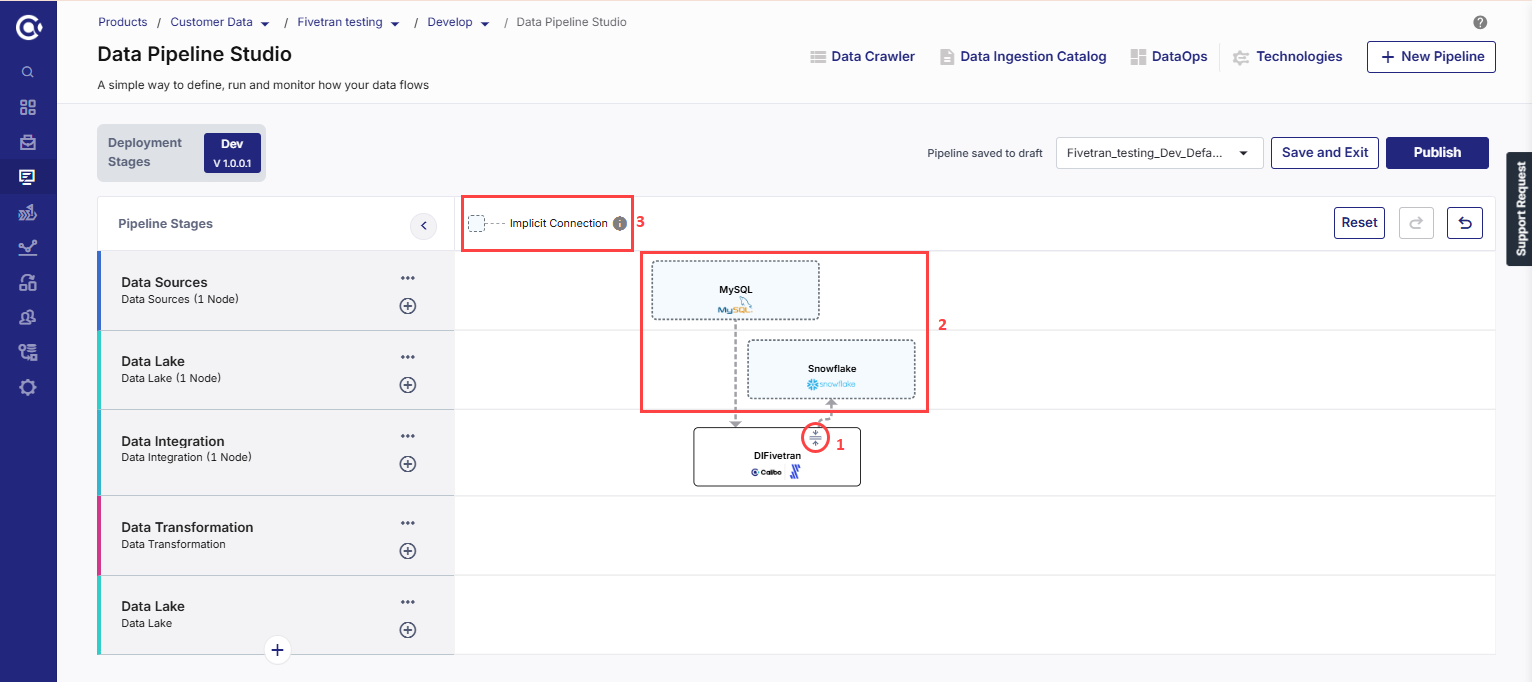
On the Airbyte node, click the expand icon to show the implicit nodes. The Source and Target nodes are automatically displayed with the dotted line connectors.
-
In the pipeline, click the implicit source node. The configuration opens in read-only mode and cannot be edited.
-
In the pipeline, click the implicit target node. The configuration opens in read-only mode and cannot be edited.
Implicit Nodes
The supported source and target nodes that are automatically added to a Fivetran integration node are called implicit nodes. The connections to the implicit node (Implicit source node to Fivetran, and Fivetran to implicit target node) are displayed as dotted lines.
Explicit Nodes
The Fivertan node in a data integration pipeline is an explicit node. Unlike other data integration , this node cannot be connected to any other nodes apart from its implicit source and target nodes.
-