Data Deduplication
Data Deduplication, also referred to as Dedup, is the process of identifying and removing duplicate data from a dataset. By eliminating redundant records, Dedup enhances the overall quality and accuracy of the data, ensuring more reliable and efficient analysis. Additionally, it helps optimize storage resources by removing unnecessary duplicate data, thereby lowering storage costs and improving the performance of data processes.
The Calibo Accelerate platform supports data deduplication using Databricks in the data quality stage of a data pipeline. Currently you can perform deduplication on data in an Amazon S3 data lake.
After you create a data deduplication job, the job runs in two parts:
-
In the first part of the job run, you select the deduplication column, match ratio, and the unique identifier. This is processed and provides you a list of duplicate records. Based on the duplicate records, you select the records that you want to retain. Then you run the other part of the job.
-
In the second part of the job run, based on the records that are to be retained, the output data is generated.
To create a data deduplication pipeline
-
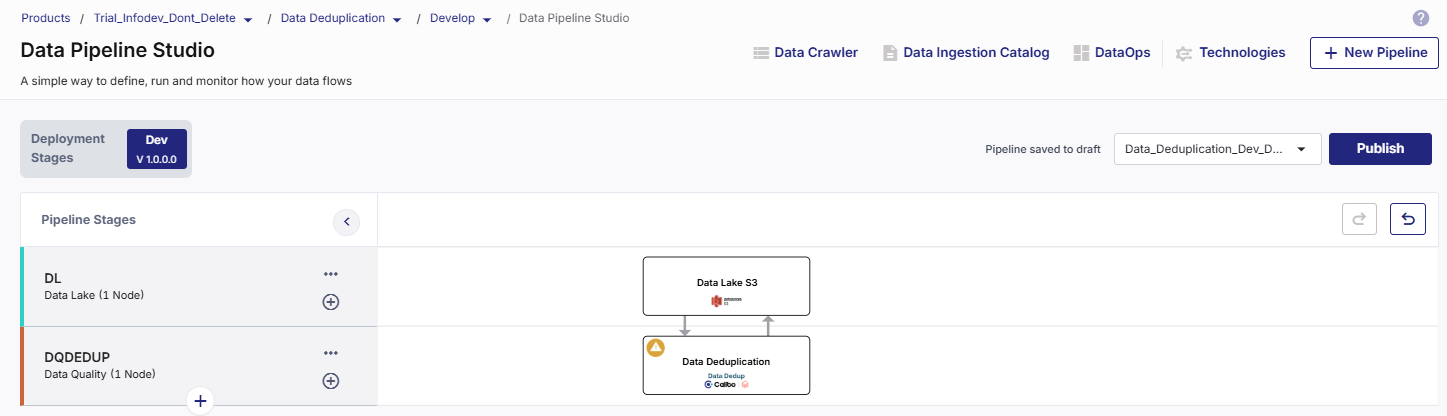
On the home page of Data Pipeline Studio, add the following stages and connect them as shown below:
-
Data Lake - Amazon S3
-
Data Deduplication - Databricks
-
-
Configure the Amazon S3 node.
-
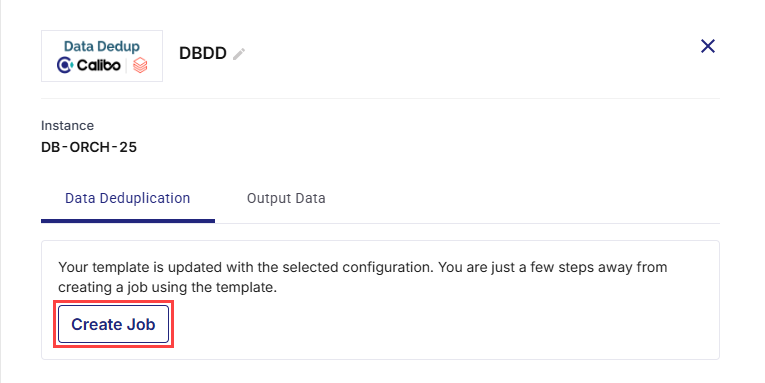
Click the data deduplication node and click Create Job.
-
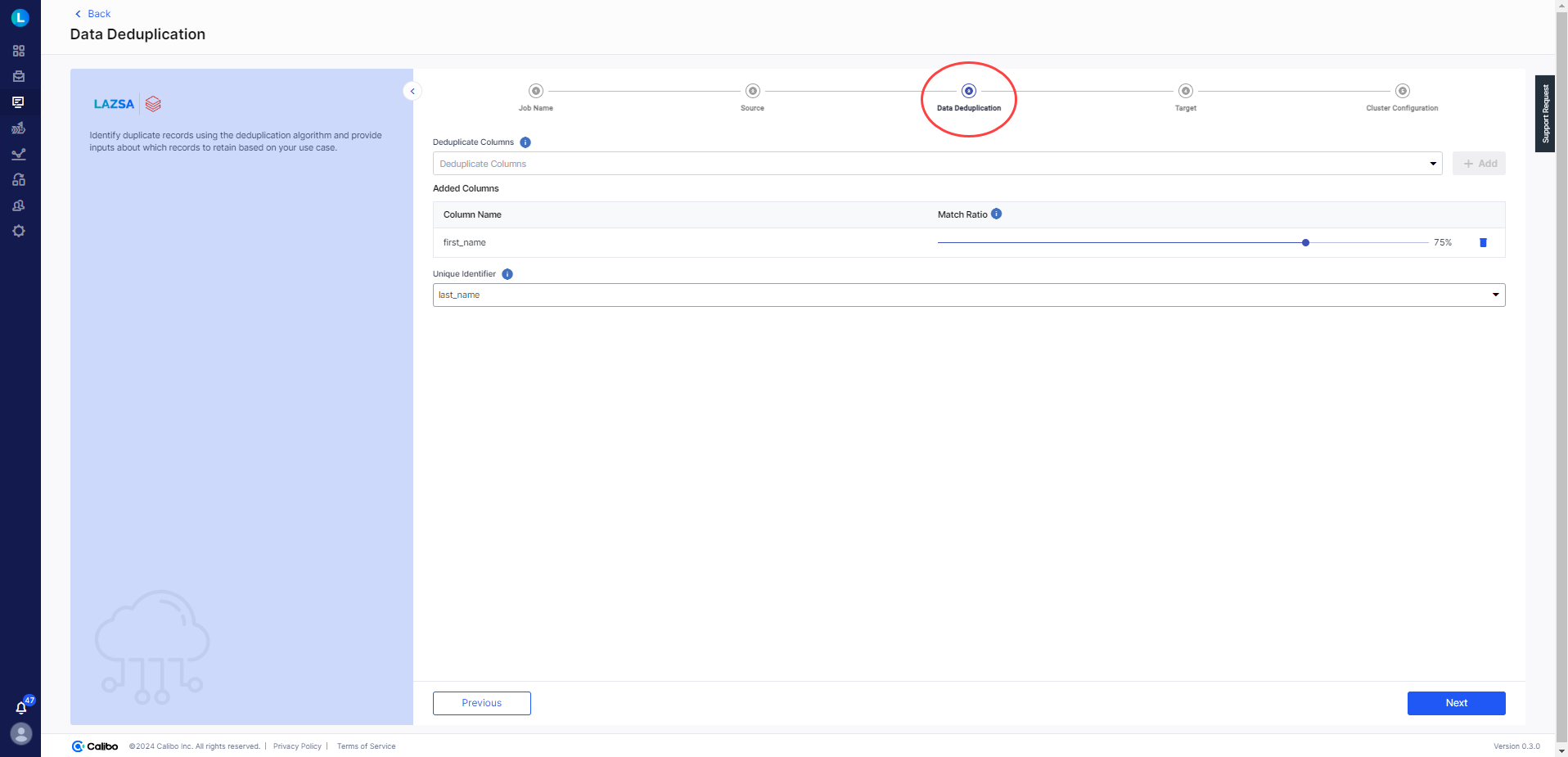
Provide the following inputs for each stage of the data deduplication job:
 Job Name
-
Template - The template is preselected, based on the data lake and deduplication stages.
-
Job Name - Provide a name for the data deduplication job.
-
Node Rerun Attempts - Select the number of times the pipeline rerun is attempted on this node, in case of failure. The default setting is done at the pipeline level. You can select rerun attempts for this node. If you do not set the rerun attempts, then the default setting is considered.
-
Fault tolerance - Select the behaviour of the pipeline upon failure of a node. The options are:
-
Default - Subsequent nodes should be placed in a pending state, and the overall pipeline should show a failed status.
-
Skip on Failure - The descendant nodes should stop and skip execution.
-
Proceed on Failure - The descendant nodes should continue their normal operation on failure.
-
Click Next.
Source
-
Source - The selected source is prepopulated.
-
Datastore - The configured connection that is selected, is prepopulated.
-
Choose Source Format - Select the source format to be used for data deduplication. Currently Data Pipeline Studio supports the Parquet format.
-
Choose Base Path - Click the pencil icon and select the folder from which you want to use data for deduplication.
-
Partitions/ Files - The selected folder structure is displayed. Click the expand icon to view the schema of the selected data.
Click Next.
Data Deduplication
-
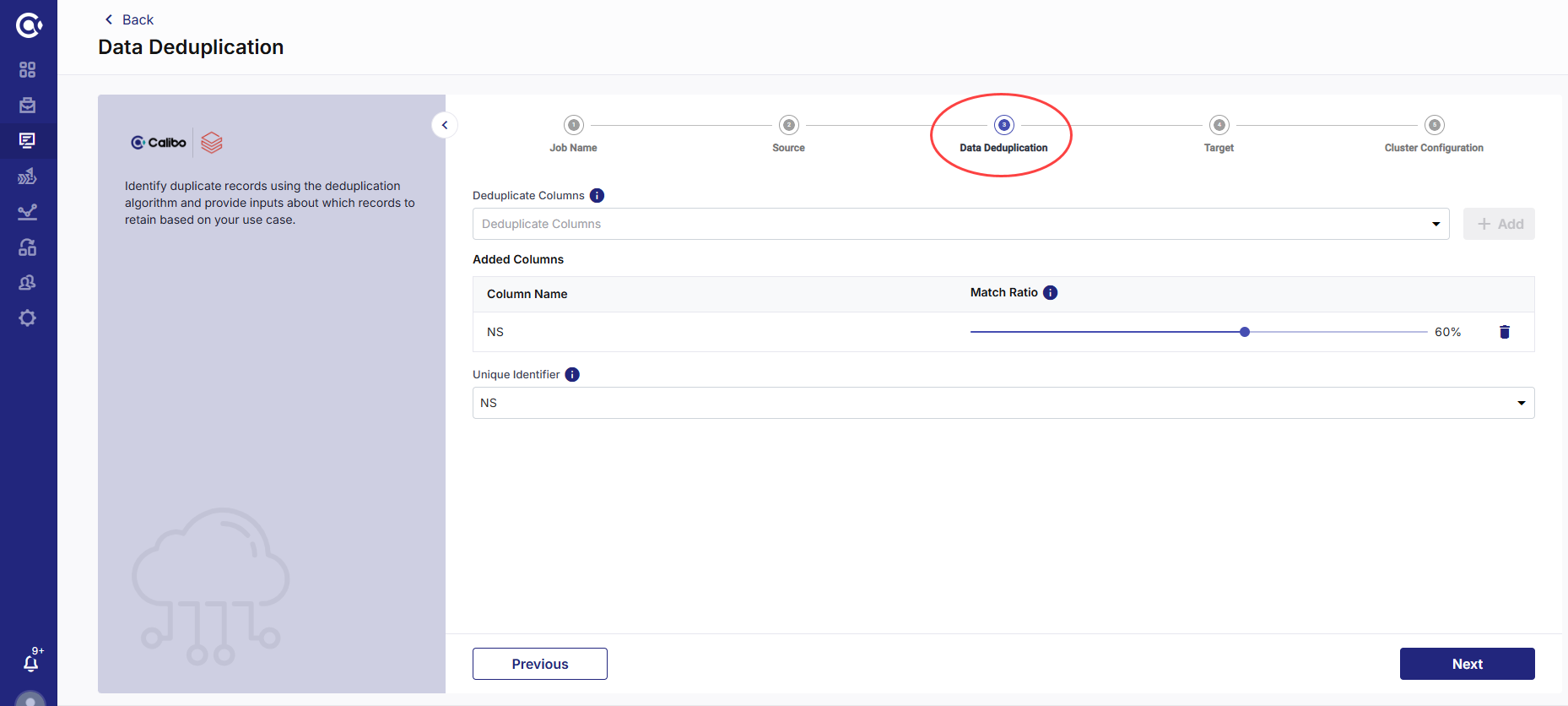
Deduplicate Columns - Select the columns for deduplication. This must be a column with duplicate data. Click + Add. For example, you may have multiple records for the same state.

Note:
Columns with string data type are displayed in the dropdown list.
-
Match Ratio - Click the slider and select the match ratio. This is the ratio of criteria that must match with the record to consider it as duplicate. The higher the ratio, the more reliable will be the results.
-
Unique Identifier - Select a column from the dropdown, which has unique data. This is the unique identifier.
Note:
Columns with string data type are displayed in the dropdown list.
Click Next.
Target
-
Target - Based on the pipeline created, the target is prepopulated.
-
Datastore - The configured connection that is selected, is prepopulated.
-
Choose Target Format - Select the format for the data that will be pushed to the target node.
-
Base Target Folder (Optional) - Click the pencil icon to select a target folder. Selecting a target folder is optional.
-
Subfolder (Optional) - Provide a name for the folder. Providing a folder name is optional.
-
Complete Output Path - The final path is created depending on the configured datastore, selected target folder, and provided folder name. This is the location on the S3 bucket where the output of data deduplication is stored.
Click Next.
Cluster Configuration
Select one of the following options:
-
All Purpose Cluster - select a configured Databricks cluster that you want to use to run the data deduplication job.
-
Job Cluster - Create a cluster that is specific to the job. See Create Cluster
Click Complete.
-
To run the data deduplication job
Now that the data deduplication job is created, you can run the job:
-
In the first part of the job run, the algorithm identifies and fetches duplicate records based on the inputs like duplicate columns, match ratio, and unique identifier.
-
In the second part, based on inputs about retaining duplicate records, deduplication is done and output data is generated.
-
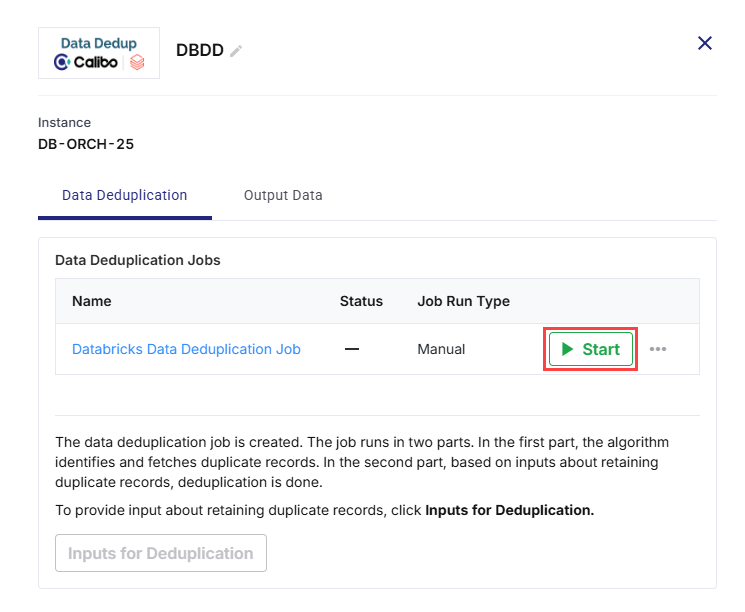
Click the Databricks node and click Start.
-
After the job run is successful, Inputs for Deduplication is enabled. Click Inputs for Deduplication.
Provide Inputs for Data Deduplication job
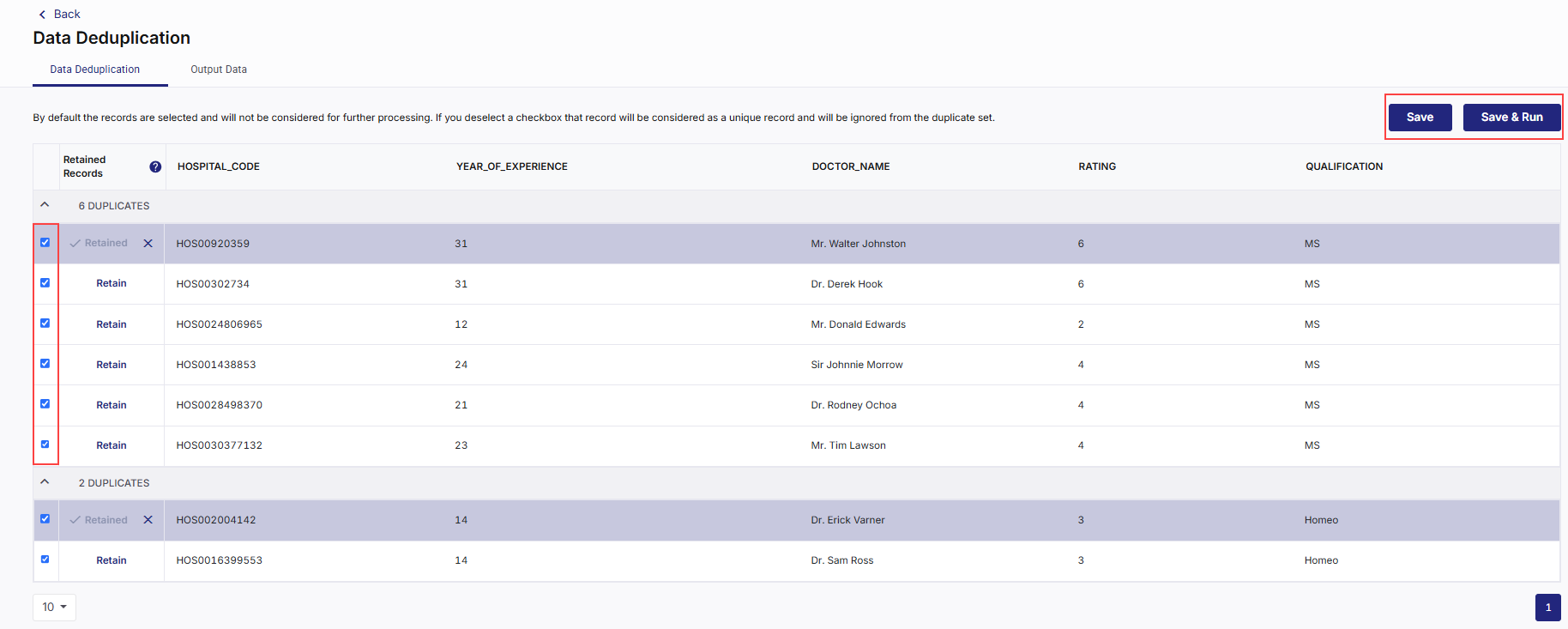
In this step you can view the output of the job run. This provides a list of duplicate records based on the column and unique identifier that you selected. Review the data and do the following:
-
Deselect the records that you want to retain.
-
Click Save if you want to review the records again.
-
Click Save and Run to save your deselection and run the job. The job run is initiated. The Save and Run button is enabled, once the job run is complete.
-
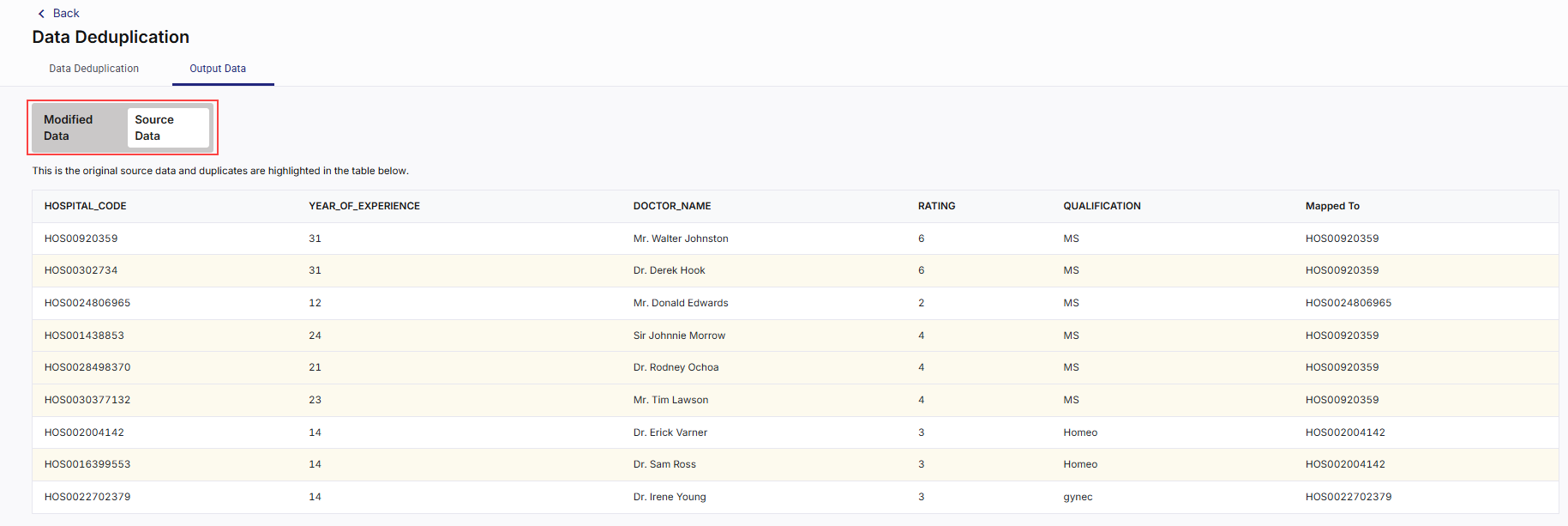
After the job run is complete, click the Output Data tab.
-
You can view the Modified Data and Source Data by clicking on each tab.
| Recommended Topics
|
What's next? Databricks Data Profiler |