Enabling Global Workflows
Once your workflow templates are configured, you can activate them for various key events across the Calibo Accelerate platform. By assigning these workflows at the global level, all products developed within Calibo Accelerate adhere to structured approval processes, eliminating manual inconsistencies and improving process efficiency.
Organizations can implement these workflows across multiple functional areas such as product portfolio creation, product development, budget approvals, policy enforcement, and idea validation, ensuring every significant decision follows a transparent and governed approval path.
Enabling Workflows for Global Events and Their Impact
The following table outlines key events where approval workflows can be applied and their impact:
| Event | What Happens When Workflow is Enabled |
|---|---|
| Product Portfolio Creation | When a Portfolio Owner creates a new product portfolio, an approval workflow is automatically triggered. The request is sent to the designated reviewer for validation. Only after the approval is granted can the Portfolio Owner add products to the portfolio, ensuring that all portfolios align with business strategy and financial feasibility. |
| Product Creation | When a Portfolio Owner submits a new product request, the approval workflow is initiated. The designated reviewer evaluates whether the product aligns with strategic goals and resource availability. Only upon approval can the Portfolio Owner link the product to a release, create and manage product features, define product dependencies, and create product teams. |
| Idea Creation | When a new idea is submitted, it remains in the Draft state. The creator must send it for review, where the designated approver assesses its feasibility and alignment with business objectives. The approver can approve, reject, or request modifications. An idea can be converted into a product only after it is approved. |
| User Feedback Creation | When a new user feedback entry is created, it remains in the Draft state until reviewed. The creator must send it for review. The designated approver can approve or reject the feedback or send it for rework. You can convert the feedback into an actionable business requirement only after it is approved. |
| Policy Templates |
After a policy template is published, it shows the In Review status and must be approved by the designated reviewer. A policy template cannot be applied to products or portfolios until it has been reviewed and approved. If the template is modified in the future, it must go through the same approval process before being re-enforced. |
| Product Portfolio Budget | When a product portfolio budget is created, it must be submitted for approval before allocation. Depending on the workflow structure, designated reviewers can approve or reject the budget or suggest changes and send it for rework. Only after all approvals are obtained can the budget be allocated and utilized for product development. |
Steps to Enable a Workflow Template
To enable workflows and associate templates to various global events across the platform, do the following:
-
Sign in to the Calibo Accelerate platform and then, from the left navigation pane, click Configuration.
-
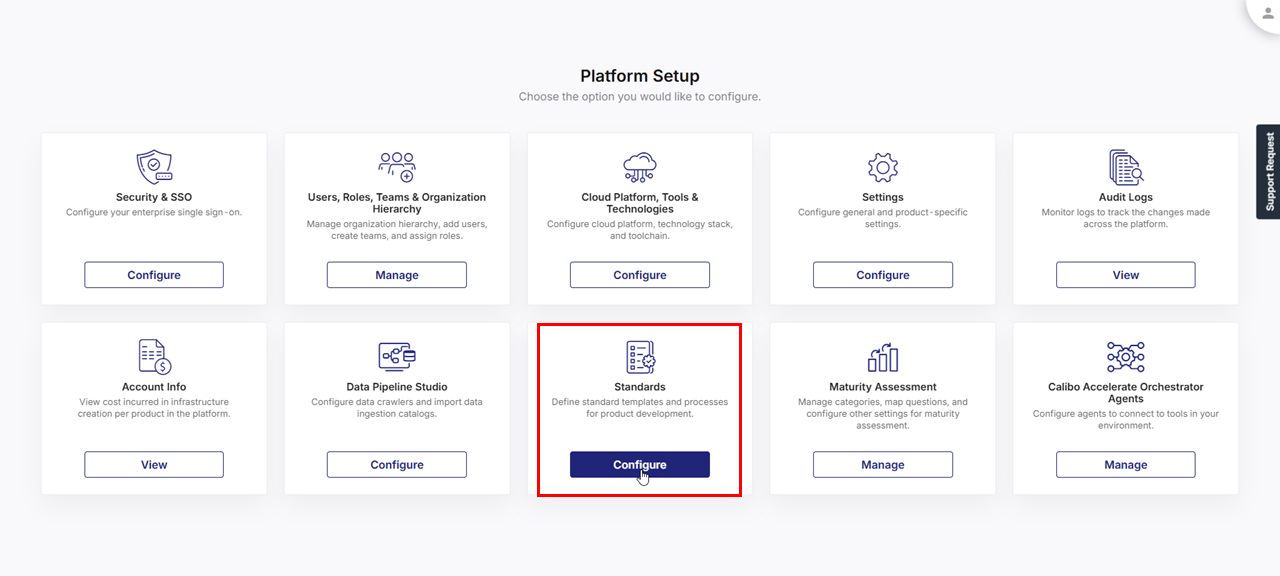
On the Platform Setup screen, on the Standards tile, click Configure.
-
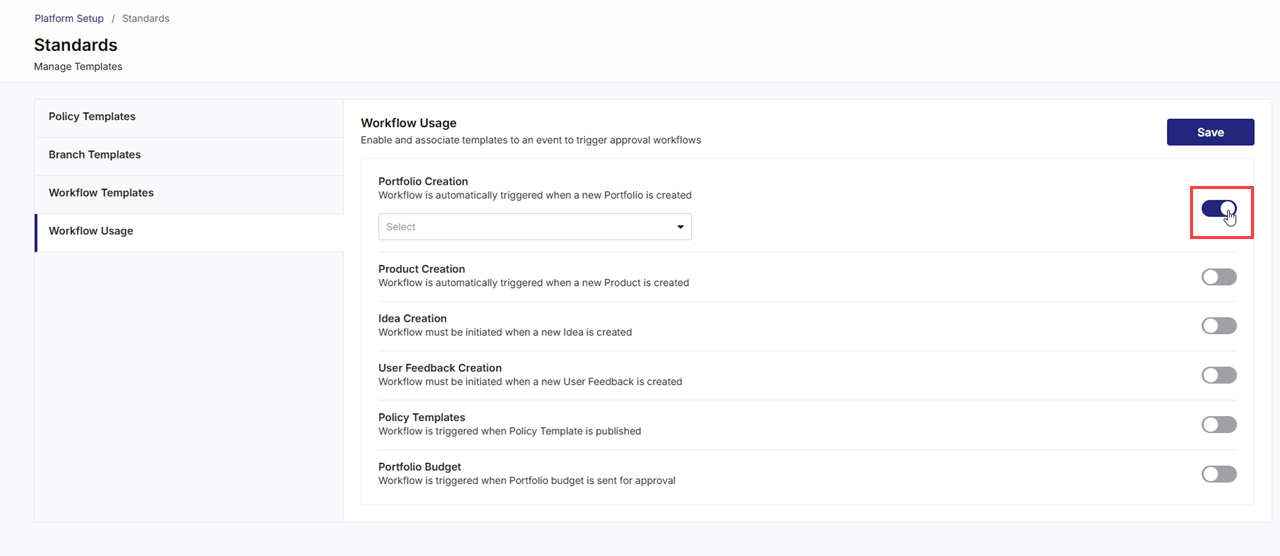
On the Standards screen, click Workflow Usage.
-
Turn on the toggle for the event where you want to enable an approval workflow. In the following example screenshot, a global workflow for portfolio creation is enabled.
-
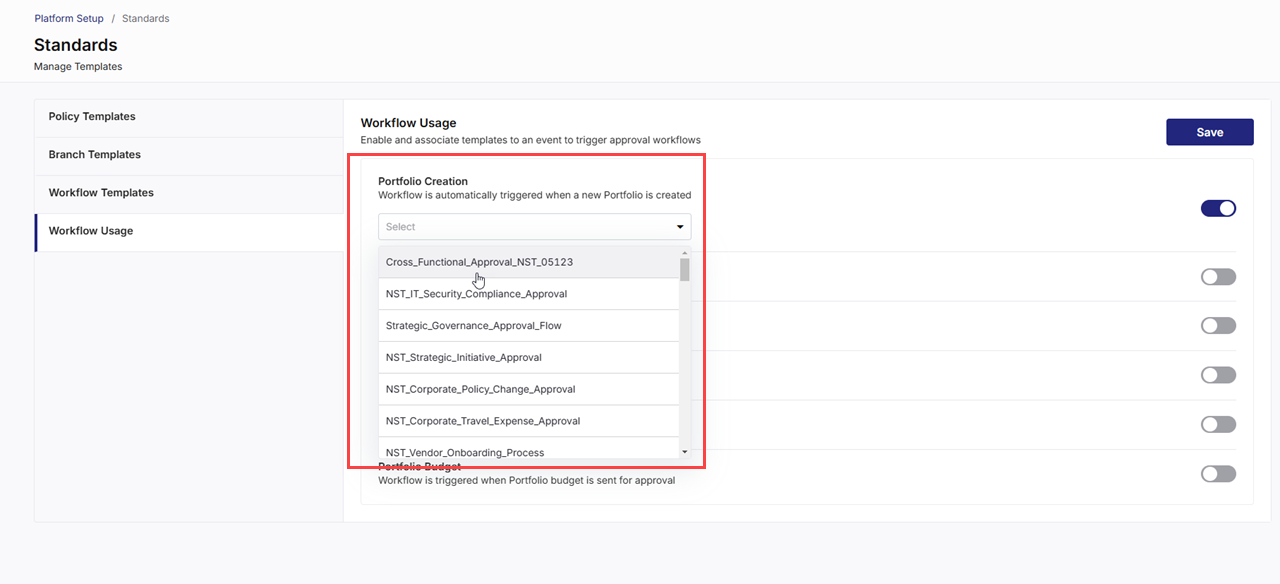
Select the desired workflow template you want to attach to the event. In the following screenshot, the template Cross_Functional_Approval_NST_05123 is being attached to the workflow for portfolio creation.
-
Click Save to apply the changes.
 Related Topics Related Topics
|
What's next?Product Portfolio Approval Workflow |