Steps to Install Calibo Accelerate Orchestrator Agent in a Google Kubernetes Engine (GKE) Cluster by Using mTLS
Before you install Calibo Accelerate Orchestrator Agent in an GKE cluster by using mTLS method, ensure you complete the prerequisites for agent installation.

Note:
You need a public DNS to connect to the Calibo Accelerate Orchestrator Agent from the Calibo Accelerate platform. Register your Ingress controller external IP address (LB) with the public DNS record. This record is used as an Orchestrator Agent DNS. You must provide this DNS on the Calibo Accelerate platform UI during agent installation.
To set up Calibo Accelerate Orchestrator Agent in GKE cluster by using the mTLS method, follow these steps:
 1. Add and register Calibo Accelerate Orchestrator Agent to the Calibo Accelerate platform
-
Sign in to the Calibo Accelerate platform and click Configuration in the left navigation pane.
-
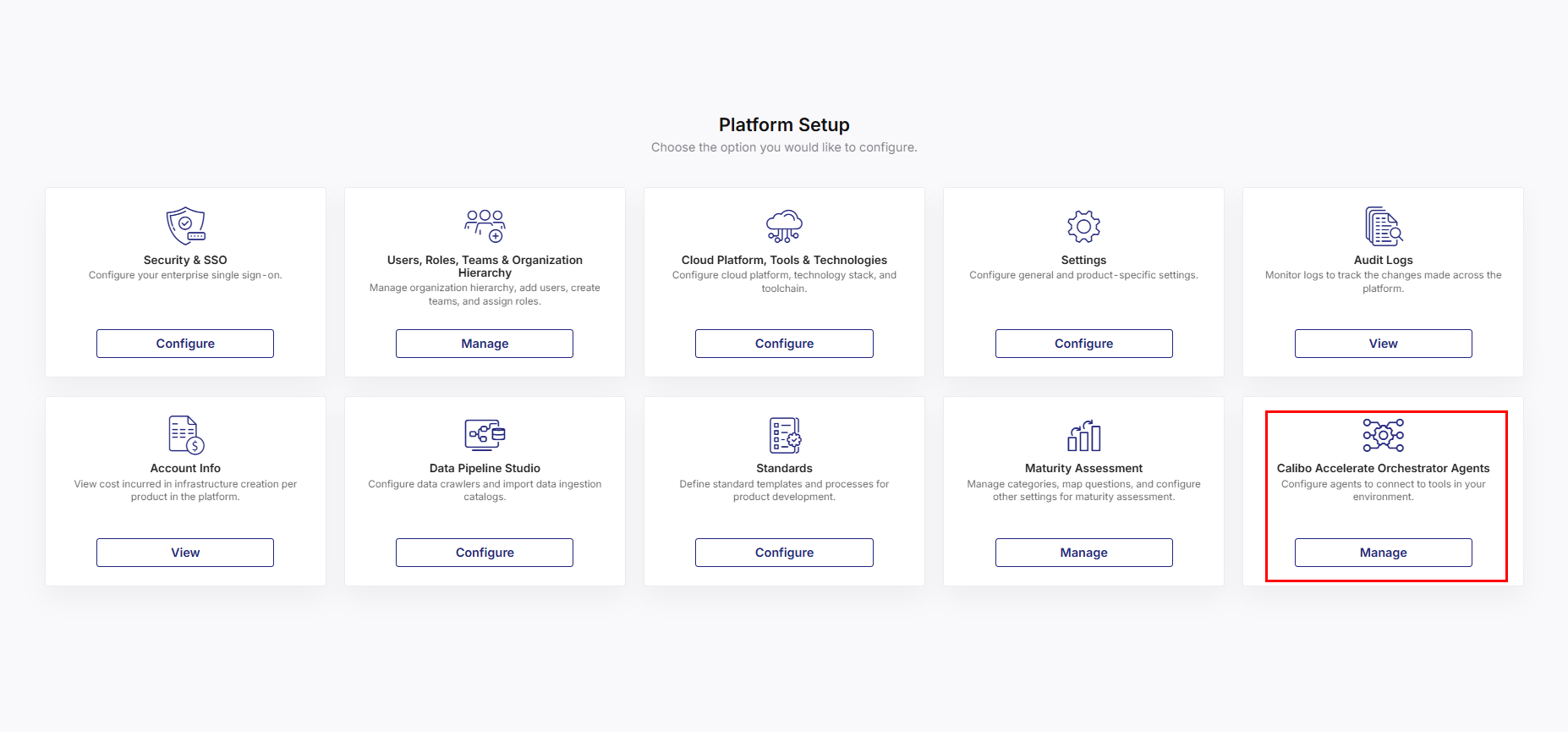
On the Platform Setup screen, on the Calibo Accelerate Orchestrator Agents tile, click Manage.
-
On the Calibo Accelerate Orchestrator Agents screen, click Add Agent.
-
On the Add Agent screen, provide the following details.
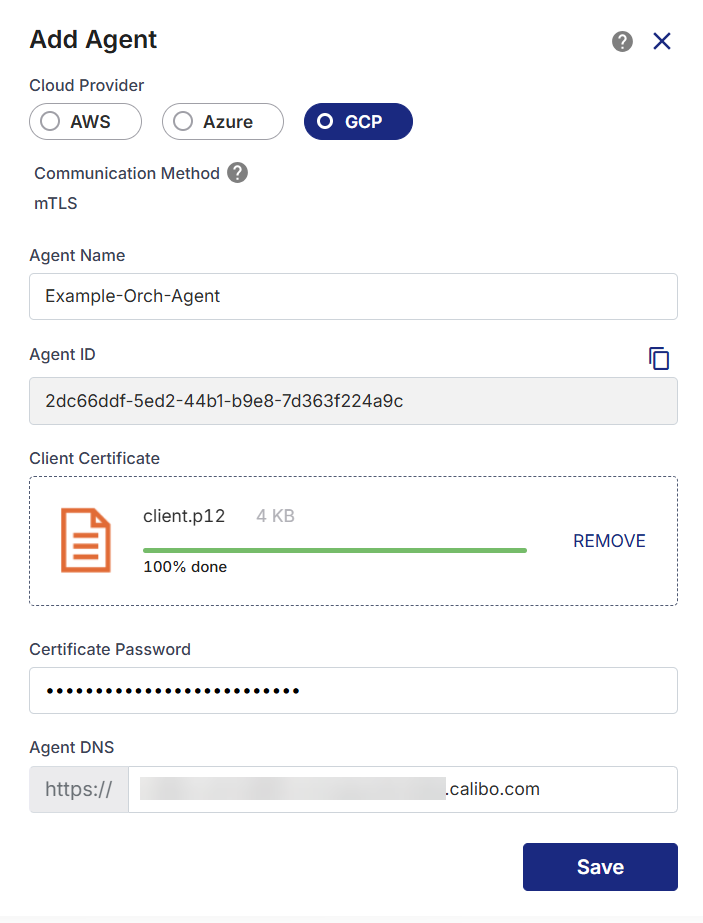
Field Description Cloud Provider Select GCP. Communication Method Currently, you can use the mTLS method only. Agent Name Provide a unique name to the Orchestrator Agent. Agent ID This is a unique ID generated by the Calibo Accelerate platform. Client Certificate Upload the client certificate that you have created in the PKCS12 binary format in the Prerequisites. Certificate Password Enter the password to access the client certificate. Agent DNS Provide the Agent DNS for which you created the certificates in the Prerequisites.
-
Save the details. With this step, the agent is ready to be deployed in your GKE cluster.
2. Deploy the agent in GKE Cluster
Note:
To access your Kubernetes cluster by using the command line interface (CLI), you must install and configure kubectl, the Kubernetes command line tool.
- After you save your configured agent on the Calibo Accelerate Orchestrator Agents screen, click the ellipsis (...) to view the agent details. On the Agent Details side drawer, you see the following Agent Installation Command.
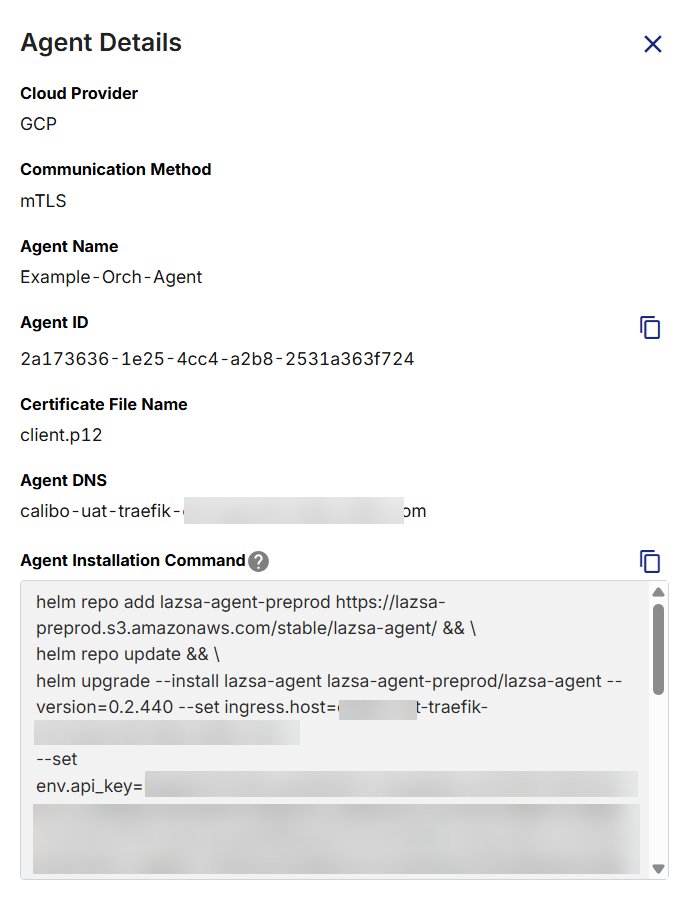
- Copy this command and then replace the placeholder values in the command with actual values. To understand the parameters of this command, see Using Agent Installation Command (For Agent to Be Deployed in GKE Cluster).
- You have created the CA (Certificate Authority) certificate file (
ca.crt), server certificate file (server.crt), and server certificate key file (server.key) in the prerequisites for agent installation. Run the command in your command line interface from the directory or folder where these TLS certificates are stored.
3. Verify the connection between the agent and the Calibo Accelerate platform
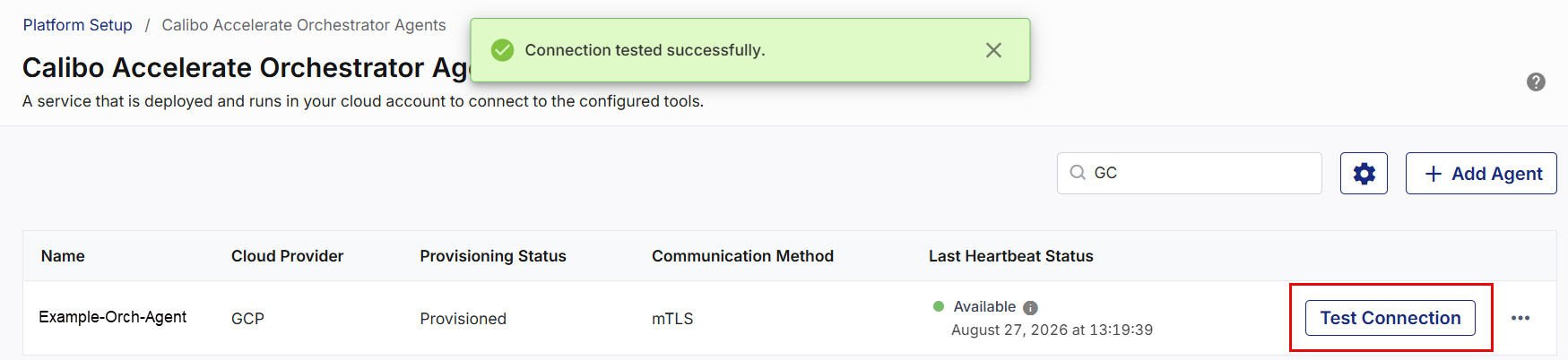
After you deploy the Orchestrator Agent in the GKE cluster, verify the agent connection from the Calibo Accelerate platform interface. Click Configuration > Calibo Accelerate Orchestrator Agents and test the connection for the agent that you deployed in the earlier step.
| What's next? Monitoring Health Status of Orchestrator Agent in Calibo Accelerate platform |